More room to shape the final edit.
From 0.3.1 to 0.7: a rebuilt editing workspace, color controls, and more ways to start a project. Here are four highlights.
01
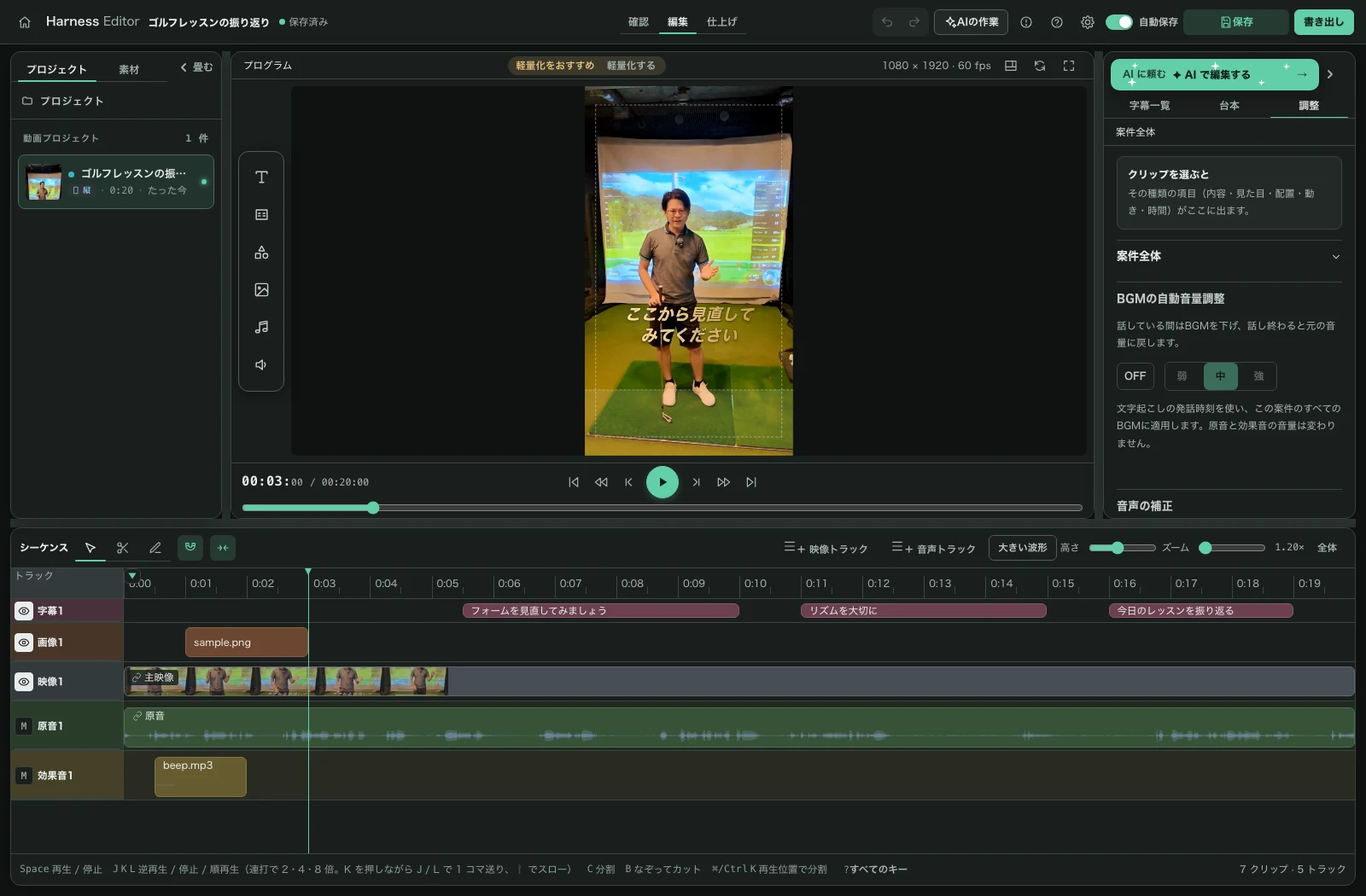
Our own preview, a new editing workspace
Preview and MP4 export now use the editor’s own renderer. Work with the timeline, media library, and adjustments in one workspace.
02
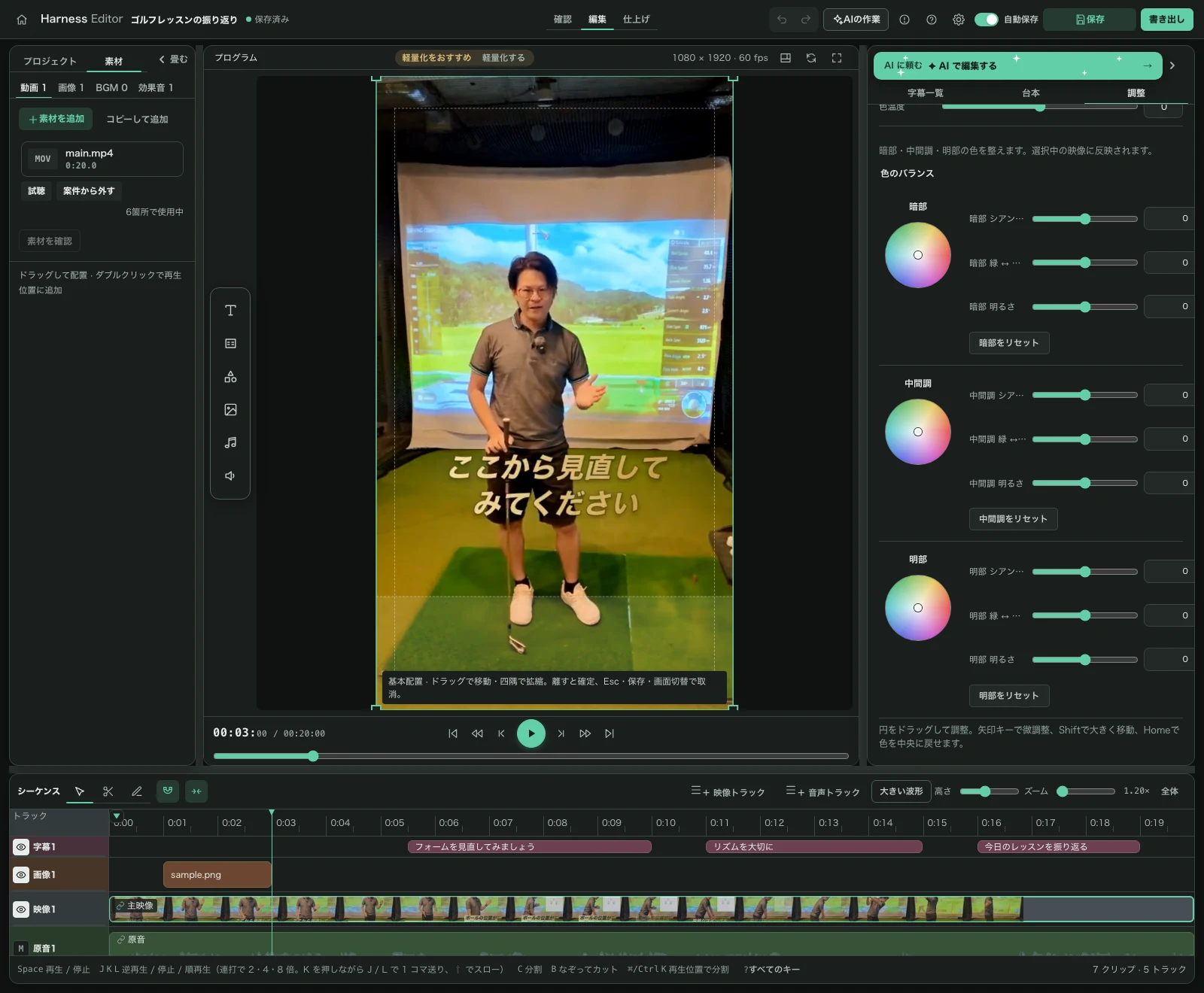
Shape the color of your footage
Adjust brightness, contrast, saturation, and temperature, then refine the image with three color wheels. Import .cube LUTs to match the look of your clips.
03
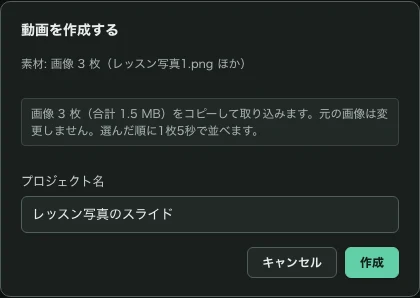
Start with audio or photos, too
Create a project from one audio file or 1–200 images. Export audio over a black background, or photos as an ordered slideshow, in MP4 format.
04
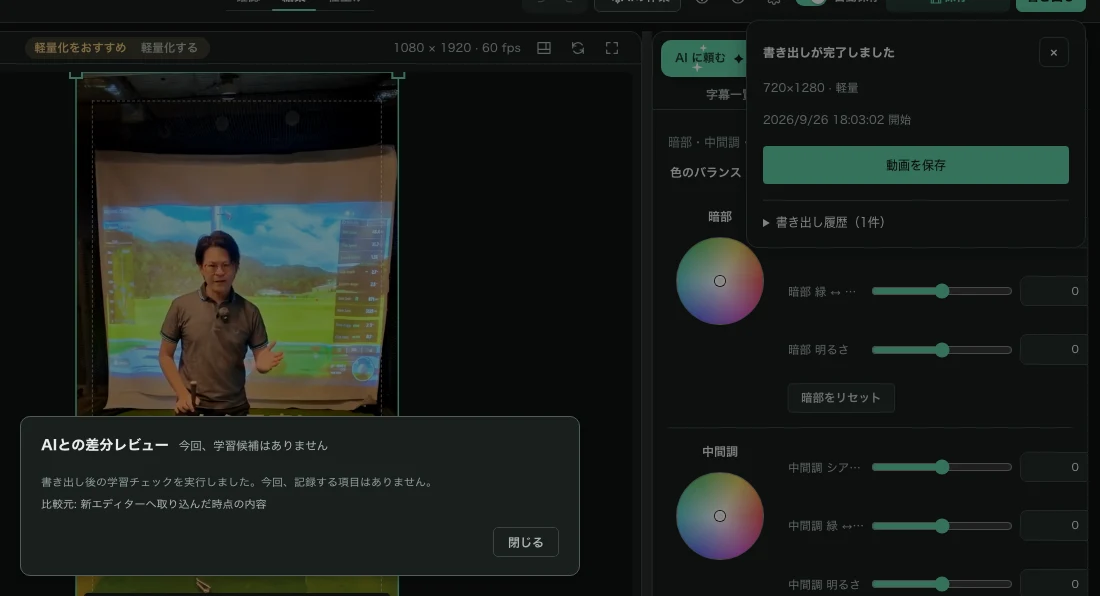
Review learning after export
The post-export learning review is now part of the new workspace. It also reports an empty result or a missing baseline, so you can see that the check ran.