Open source · Runs fully local0.7 is here — four new highlights

AI does the heavy lifting.
You make the final cut.

An open-source video editor driven by Claude Code. Automatic cuts, subtitles and sound effects — finished by hand in a non-destructive GUI. The editor is part of the Video Harness toolkit.

Get started free

The editor is free, open-source software. Version 0.7 uses its own preview and MP4 export renderer.

✓ MIT licensed✓ Footage never leaves your machine✓ Verified on macOS

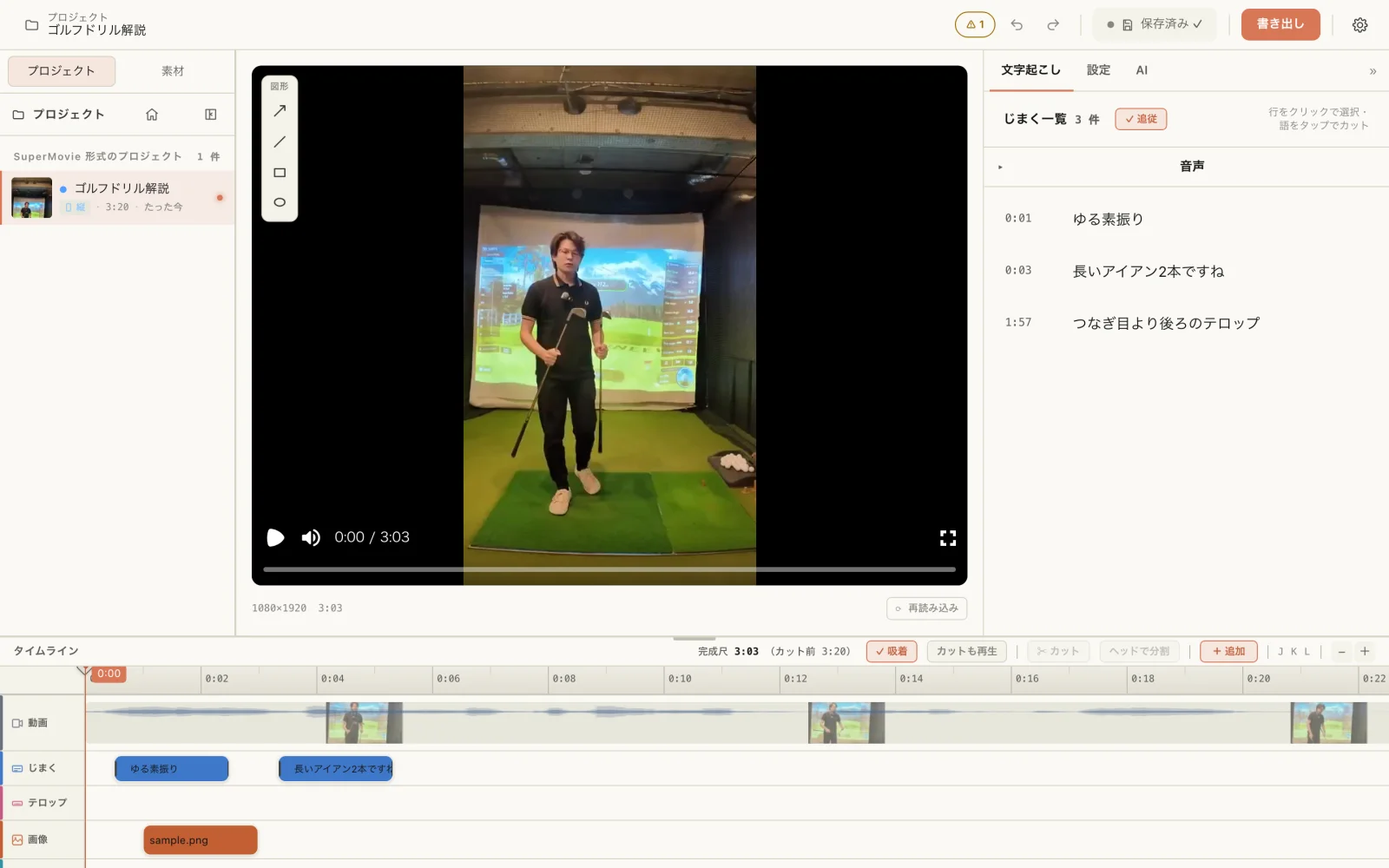
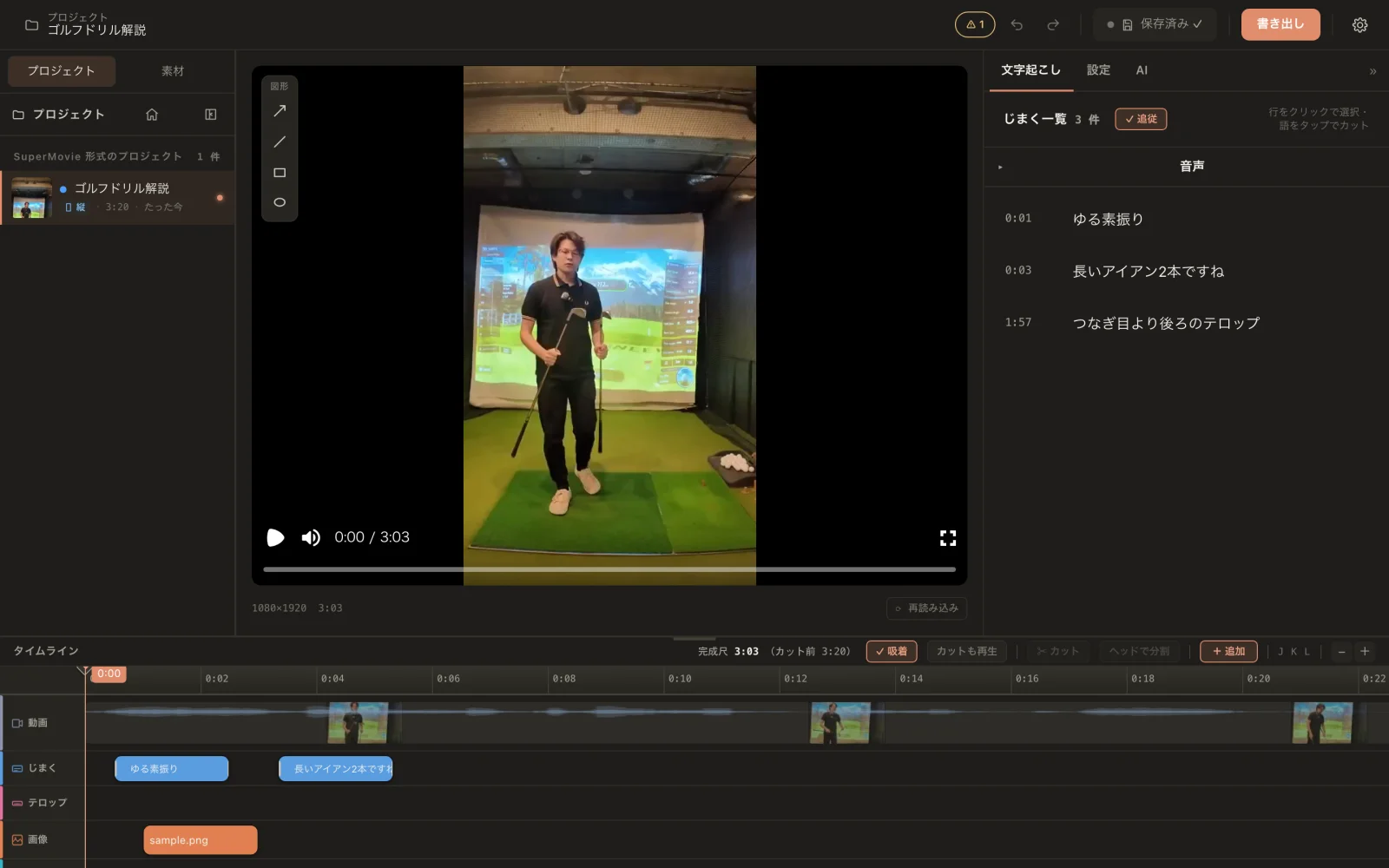
Harness Editor timeline and previewHarness Editor timeline and preview
v0.7.0 · 2026.09.26
v0.7.0

More room to shape the final edit.

From 0.3.1 to 0.7: a rebuilt editing workspace, color controls, and more ways to start a project. Here are four highlights.
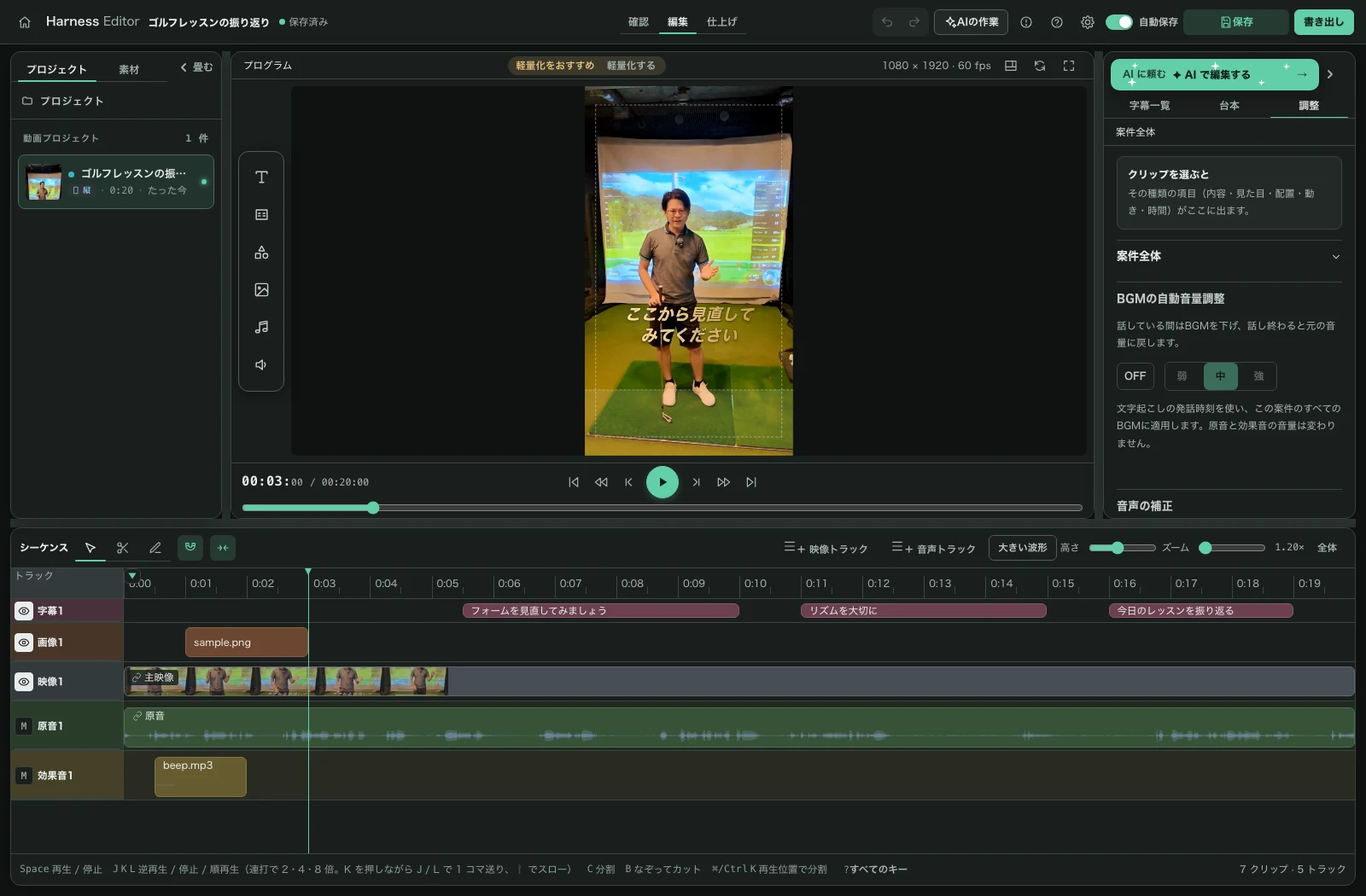
The 0.7 preview and multitrack timeline, shown in Japanese
01

Our own preview, a new editing workspace

Preview and MP4 export now use the editor’s own renderer. Work with the timeline, media library, and adjustments in one workspace.
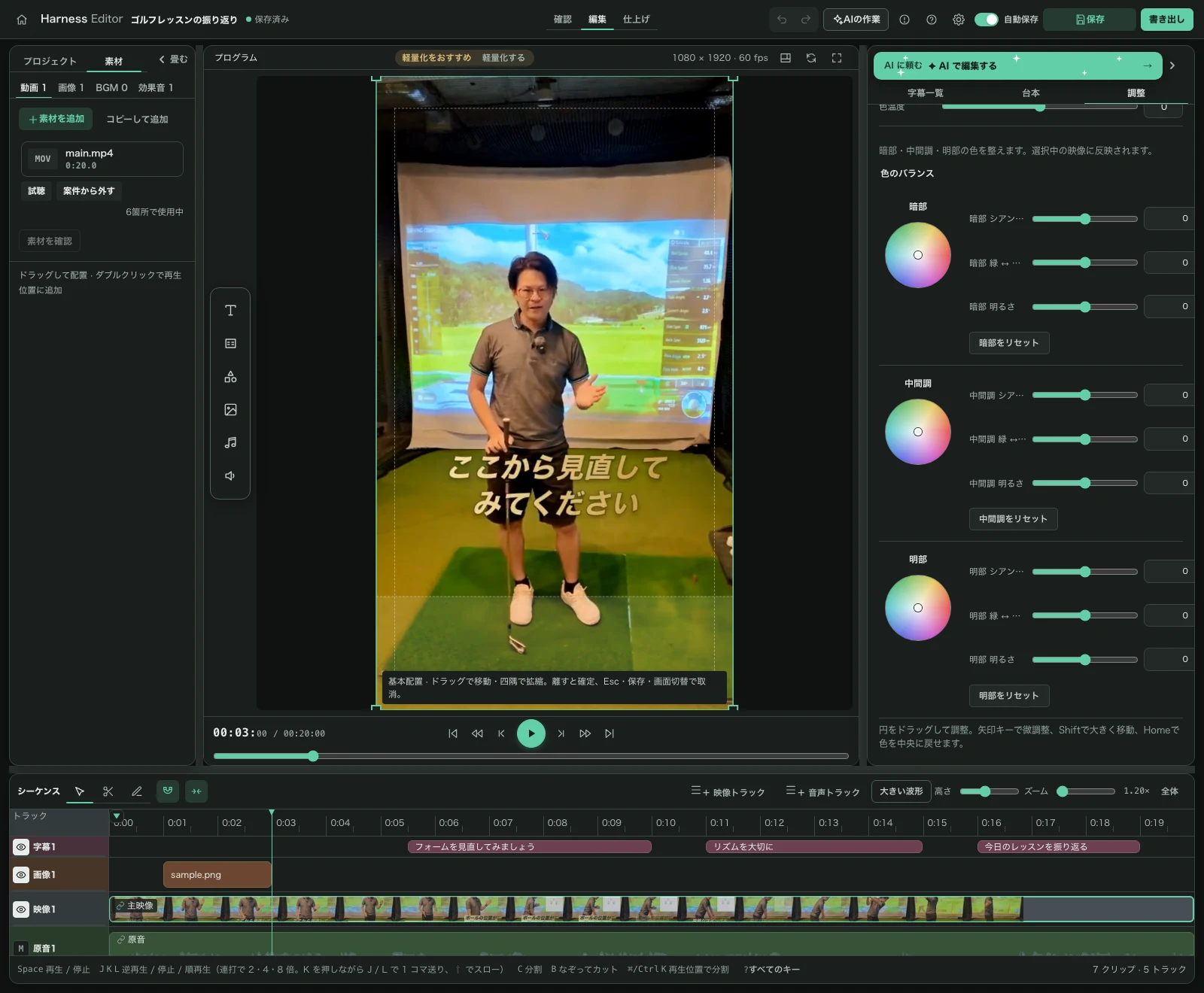
Color grading controls in the adjustment panel, shown in Japanese
02

Shape the color of your footage

Adjust brightness, contrast, saturation, and temperature, then refine the image with three color wheels. Import .cube LUTs to match the look of your clips.
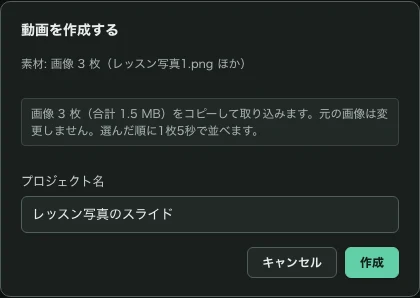
Creating a project from three images, shown in Japanese
03

Start with audio or photos, too

Create a project from one audio file or 1–200 images. Export audio over a black background, or photos as an ordered slideshow, in MP4 format.
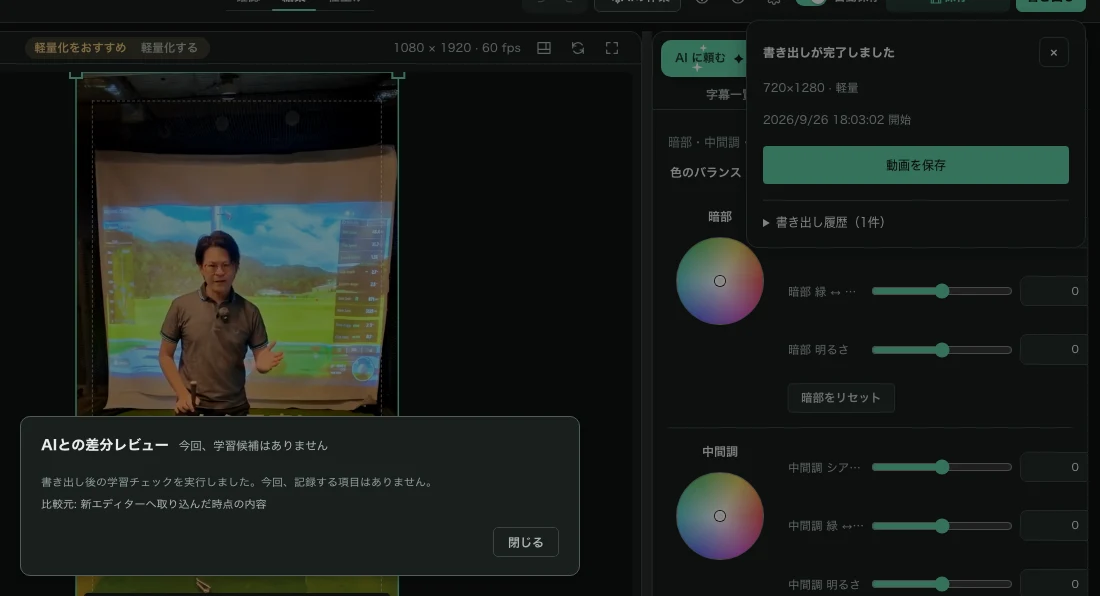
Post-export learning check results, shown in Japanese
04

Review learning after export

The post-export learning review is now part of the new workspace. It also reports an empty result or a missing baseline, so you can see that the check ran.

However many videos, they all move at once

AI edits multiple videos in parallel.

Editing one video at a time is over.
Harness Editor — Progress board
Projects 1
Short video 1
Vertical · 0:47
Reel 1
Vertical · 0:33
Talk-style explainer
Horizontal · 6:12
YouTube video
Horizontal · 8:24
AI terminal — Claude Code
Short video 1
Vertical · 0:47
TranscribeCutSubtitlesSFXExport done
Reel 1
Vertical · 0:33
TranscribeCutSubtitlesSFXExport done
Talk-style explainer
Horizontal · 6:12
TranscribeCutSubtitlesSFXExport done
YouTube video
Horizontal · 8:24
TranscribeCutSubtitlesSFXExport done

Multiple projects edit at once in parallel lanes. Instructions go through the AI terminal as a single line. Each video carries a progress badge through transcribe, cut, subtitles, SFX and export.

Feel the cut for yourself

This isn't an animation — it's a demo you can actually operate.

✂ Skip
0:00
Cut done ✓

AI auto-cuts silence, and any leftover re-take can be removed with one trace over the timeline. Cut regions stay as a band and are skipped automatically on playback — you can also pinch the edges to adjust the range.

Get started free

What Harness Editor does

How it works

01

Hand over the footage

Point it at your video and describe the editing style.

02

AI drafts the edit

Cuts, subtitles and sound effects, placed autonomously.

03

Finish and export

Polish in the GUI, then export for any platform.

Why Harness Editor

⌘

AI (Claude Code / Codex) edits directly

One instruction is enough — cuts, subtitles and SFX are placed autonomously.

✎

Human finishing touch

Review and refine every AI decision in the GUI. Intent stays yours.

↻

Edit many videos at once

AI edits multiple videos in parallel — batch-produce shorts without waiting on each one.

Already running in production

Shipped in real production

We edited and published a batch of short-form videos using this exact editor.

Built for non-engineers

Double-click twice to set up. Dependencies like ffmpeg install automatically.

Supported environments

macOS checked; Windows unverified for 0.7. Claude Code and Codex are optional for AI-assisted editing.

Get started free

Design philosophy

Text data is the source of truth

Every state of the edit lives in human-readable text data. If it breaks, you can trace it through a diff.

AI and humans read and write the same files

Claude Code and you edit the exact same source files — never two copies to keep in sync.

A GUI built only for finishing

The GUI is not where the video is made — it is where you review and adjust the AI's edit.

The editing pipeline

These steps are carried out by editing skills for Claude Code. The full skill pack ships with Pro — it also covers migrating your own or existing skills.

Transcribe

Converts audio into text with word-level timestamps.

Cut

Detects silence and filler words and automatically tightens the timeline.

Subtitles

Generates readable subtitle cards from the transcript.

SFX

Places sound effects based on context.

Export

Renders the finished edit into a video file for each platform.

The "harness" idea

Harness engineering

We don't just hand the whole job to AI. The AI is wired into a fixed pipeline — transcribe, cut, subtitle, export — that runs together with its own verification and retry logic. A "harness" is the gear that lets a powerful animal work without running wild. That's why you can trust it without it breaking.

Loop engineering

Every fix you make in the GUI is captured as feedback and fed back into improving the editing pipeline itself. The more you use it, the closer it gets to "your own" editing style.

Why it's free

The editor itself is free, open-source software — your own Claude Code provides the editing intelligence.

The app itself is free, open-source software

Harness Editor is published under the MIT license.

Processing runs fully local, no credit limits

All video processing happens on your own machine and never consumes external service credits.

The brain is the Claude Code you already have

The editing intelligence comes from the Claude Code subscription you already pay for. Codex is also usable from the built-in terminal.

From 0.7, preview and MP4 export use the editor’s own renderer. Your media stays on your machine, and exporting does not consume service credits.

Open source you can trust

✓ MIT licensed✓ Fully local processing✓ Developed in the open on GitHub

Coming next

✓Aspect-ratio conversion (turn horizontal videos into shorts)
✓Keyframe animation for subtitles and images
✓Stronger Windows support
✓Mobile support

Join the community

Usage questions, requests and development progress are shared in our open chat.

Join the open chat

Pro is on the way

Templates, workflows and priority support. Leave your email to hear first.

We'll only email you about the Pro launch. · Privacy Policy

FAQ

Is the editor free?

Yes. Harness Editor is free, MIT-licensed open source. A paid Pro tier (templates, workflows, support) is planned — join the waitlist above.

Which platforms are supported?

The Apple Silicon Mac app and browser edition have been checked for 0.7. Windows is unverified. AI-assisted editing uses Claude Code or Codex; manual editing does not require an AI subscription.

Is my footage uploaded anywhere?

No. All video processing happens locally on your machine.

What will Pro include?

Editing skill packs, templates and priority support. Details will go to the waitlist first.

From today, you only do the finishing.

Open source. Free to start.